If your phone speaker went muffled or silent after getting wet, and playing a tone through it isn’t an option (because there’s no sound coming out, or you just don’t want to blast a bass frequency through a speaker that’s already struggling), you’re in the right place.
Several safe, physical methods work, and this guide covers each one, plus the mistakes that quietly make things worse and how to tell when trapped water has crossed into repair territory.
Why Trapped Water Silences Your Speaker
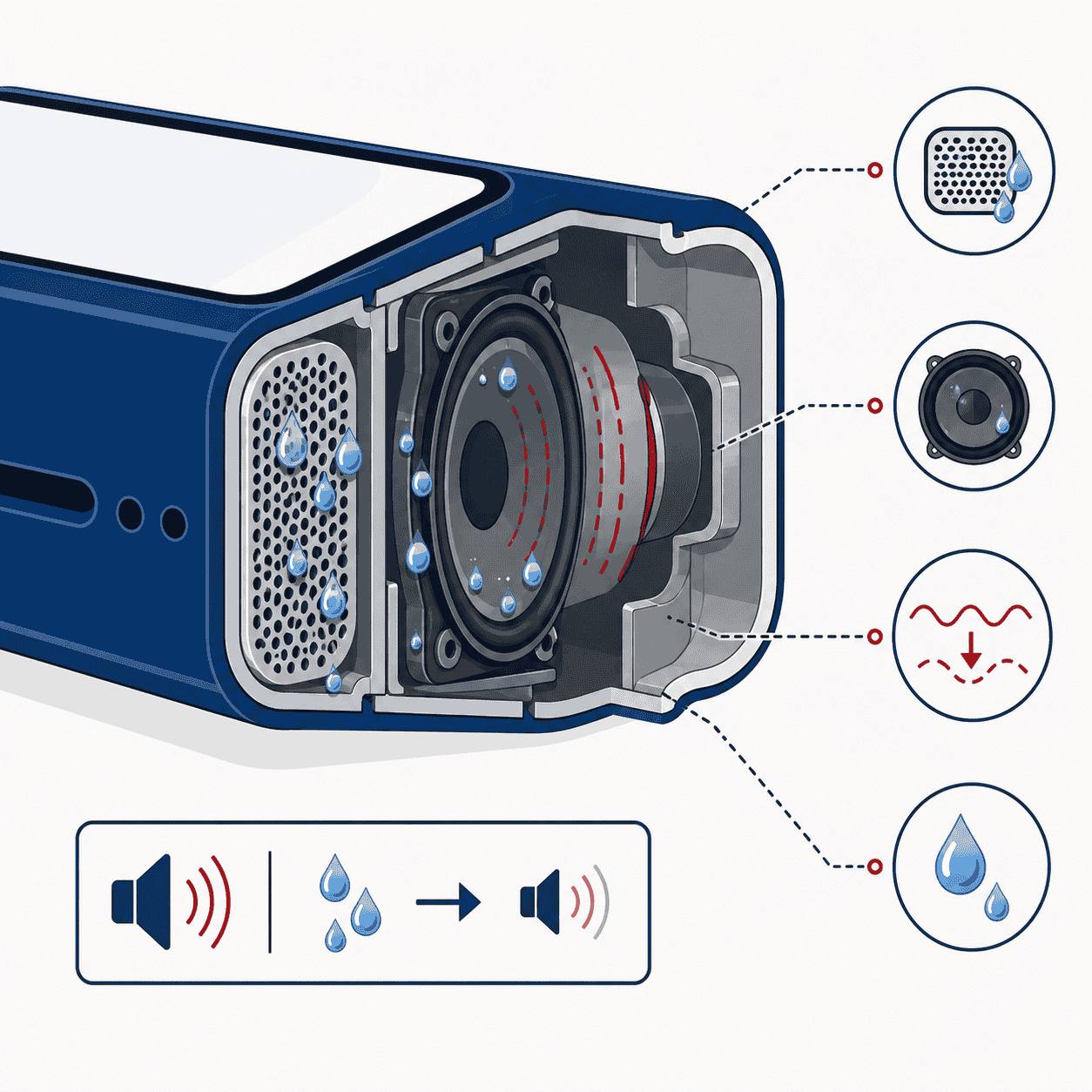
Your speaker makes sound by vibrating a tiny diaphragm thousands of times a second to push air. When water clings to the protective mesh or sits inside the speaker chamber, it physically dampens those vibrations and blocks the path the sound travels through. That’s why audio suddenly sounds like it’s coming from underwater, drops in volume, or cuts out entirely.
Most phones from the last several years carry an IP67 or IP68 rating, meaning they survive brief submersion. But water resistance isn’t waterproofing, and those seals and adhesives weaken as the phone ages. So even a “water-resistant” phone can end up with water parked in the speaker after a splash. The rating buys you time to react, not permanent immunity, which is exactly why acting quickly matters.
Do These 3 Things First
Before any drying method, a few quick moves protect the phone from bigger trouble:
- Power it off if it got soaked. If it took a real dunk rather than a light splash, shutting it down lowers the risk of a short circuit while moisture is inside.
- Dry the outside thoroughly. Wipe the whole phone with a soft microfiber or lint-free cloth, paying close attention to the speaker grille, charging port, and buttons.
- Don’t plug in the charger. Charging a wet phone is one of the fastest ways to trigger corrosion or a short on the port. Wait until it’s completely dry.
How to Remove Water from Phone Speaker Without Sound
These are the methods I actually recommend when the speaker is silent or you’d rather not run a tone through it. Do them in order; they build on each other.
1. Gravity and gentle tapping
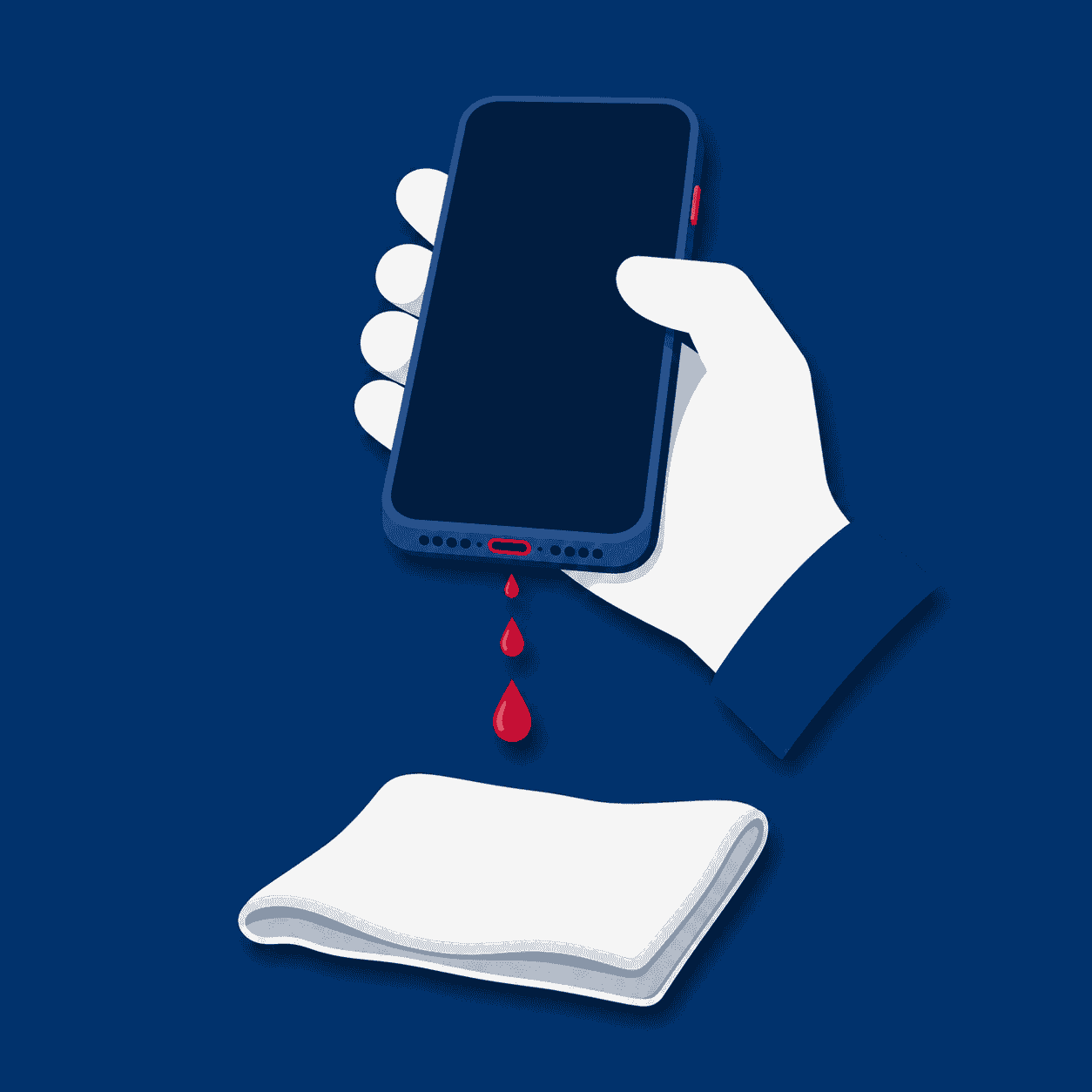
This is the simplest and most effective first move. Hold the phone firmly with the speaker facing straight down toward the floor, then tap it lightly against the heel of your palm five or six times. The impact plus gravity shakes loose droplets out through the grille. Keep a cloth handy to wipe away any water that beads up on the surface so it doesn’t get pulled back in.
2. Wick it with a lint-free cloth
Press (don’t rub) a clean microfiber or lint-free cloth firmly against the speaker grille. The fabric draws surface moisture out through capillary action. Rubbing risks pushing fibers into the mesh, so a steady press-and-hold is the right technique. Repeat over the earpiece speaker too if that’s where the muffling is.
3. Silica gel packets (the real “rice” replacement)
Seal the phone in a zip bag or airtight container along with a handful of silica gel packets, the little sachets that come in shoeboxes, vitamin bottles, and electronics packaging. Leave it overnight. Silica gel genuinely pulls moisture out of the surrounding air, which is exactly what you want and exactly what rice fails to do (more on that below).
4. Air it out
Leave the phone standing upright, speaker-side down, in a dry, well-ventilated room for 12 to 24 hours. A spot with moving air (near a fan, not a heater) speeds evaporation without introducing heat that could warp adhesive or stress the battery. Patience does a surprising amount of the work here.
5. Soft dry brush for the grille
Once the phone is mostly dry, a soft, dry brush (a clean makeup brush or a soft toothbrush works) can clear residue and debris from the speaker mesh that may be trapping the last of the moisture. Brush lightly across the grille, never jab into it.
Tip from the bench
Combine methods for the best result: tap the water out first, wick the grille with a cloth, then seal the phone with silica gel overnight. By morning, most trapped water is gone. If the speaker still sounds off after that, it’s usually no longer a water problem, it’s the aftermath.
What NOT to Do (These Make It Worse)
Over the years I’ve seen more phones damaged by the “fix” than by the original splash. Skip every one of these:
| Don’t Do This | Why It Backfires |
|---|---|
| Putting it in rice ❌ | Rice dust and starch lodge in the grille and ports, and it barely absorbs the moisture inside the phone. It creates a new problem while solving nothing. |
| Using a hair dryer or any heat ❌ | Heat warps adhesive, stresses the battery, and can drive water deeper into the phone instead of out. |
| Blowing compressed air into the grille ❌ | Forces water further inside toward sensitive components. If you use air at all, aim it gently from the side, never straight in. |
| Poking cotton swabs into the grille ❌ | They shed fibers that clog the mesh and muffle sound long after the water itself is gone. |
| Charging while wet ❌ | The single biggest cause of corrosion and short circuits after water exposure. Wait until fully dry. |
When It’s More Than Just Trapped Water
Sometimes the water’s already out but the sound still isn’t right, or the moisture reached the internals before it ever pooled in the grille. Water and electronics don’t need long contact before corrosion starts forming on tiny connectors, and that process keeps going for days after the phone feels dry on the outside.
Here’s how to tell “just needs drying” apart from “needs a technician”:
| Probably just trapped water | Likely water damage, get it checked |
|---|---|
| Muffled sound that clears up after drying | Persistent muffling or no sound after 24–48 hours of drying |
| Volume returns to normal within a day | Constant static or crackling from the speaker |
| No other symptoms | Phone won’t charge, screen flickers, or it runs hot |
If the speaker is producing static or a crackling sound rather than just being quiet, that’s a specific symptom worth understanding, we break it down in our guide on why your phone is making a static noise and how to fix it. And if the charging port started acting up after the water exposure, that’s a separate issue covered in our iPhone charging port repair cost breakdown.
Speaker Still Muffled or Silent? We’ll Fix It.
Free diagnostics, professional water-damage cleaning, and speaker replacement, all backed by a 90-day warranty and below-average pricing. Visit us in Wesley Chapel, Holiday, or Hudson, or mail your phone in from anywhere in the USA.
How Gizmo Pros Handles Water-Affected Speakers
When home drying doesn’t cut it, the fix usually isn’t just “drying it out”, it’s cleaning corrosion off the internal connectors before it spreads, and replacing the speaker module if the diaphragm is already damaged. We open the device carefully, check the water-damage indicators, and give you a straight answer on what’s actually wrong before you pay a cent.
Most speaker and water-related repairs are done while you wait, and everything leaves with our 90-day limited warranty against defects. We also match any local competitor’s published price on the same repair and beat it by $10. If water reached more than just the speaker, our full iPhone water damage repair cost guide lays out what different levels of damage typically run.
Not near one of our shops? Our mail-in repair service lets you ship your device from anywhere in the country. We diagnose it, fix it, and send it back within 2–4 business days with free standard return shipping. Next-day return is available for an added fee if you’re in a hurry.
Visit a Gizmo Pros Location in Florida
Bring your device to any of our three Florida shops for a free diagnostic, no appointment needed. Most water and speaker repairs are done same-day, often while you wait.
📍 Wesley Chapel
📍 Holiday
📍 Hudson
Frequently Asked Questions
How long does it take for a phone speaker to dry out?
Surface water usually clears within minutes of tapping and wicking. Deeper moisture can take 24–48 hours of air-drying to fully evaporate. If the sound hasn’t returned to normal after two days, the problem is more likely corrosion or a damaged speaker than trapped water, and it’s worth having checked.
Should I put my wet phone in rice?
No. The rice trick is a myth that does more harm than good, its dust and starch can clog your speaker grille and ports without effectively drawing moisture from inside the phone. Silica gel packets in a sealed bag work far better as a drying agent.
Can water in the speaker damage my phone permanently?
It can if it’s ignored. Even after the water appears gone, moisture inside can corrode internal connectors over the following days. That’s why lingering muffled sound, static, or charging trouble after water exposure should be looked at sooner rather than later.
Is it safe to charge my phone after it got wet?
Not until it’s completely dry. Charging a wet phone is one of the most common causes of corrosion and short circuits on the charging port. Give it a full day to dry, and if the port still misbehaves afterward, have it inspected.
Can I mail my phone in if I’m not near a Gizmo Pros location?
Yes. Our mail-in repair service accepts phones from anywhere in the USA. Ship it in, we diagnose and fix it, and send it back within 2–4 business days via free standard return shipping. Next-day return delivery is available for an added fee.
Do you offer a warranty on water-damage and speaker repairs?
Every repair at Gizmo Pros comes with a 90-day limited warranty against defects, valid across all three of our Florida locations, Wesley Chapel, Holiday, and Hudson. If the same issue returns within that window, we’ll make it right.
Get Your Sound Back, Fast and Affordable
Free diagnostic. Below-average pricing. 90-day warranty. Repairs done while you wait in Wesley Chapel, Holiday, and Hudson, or ship it in from anywhere in the USA.