So your Motorola decided to play dead right in the middle of a call, while navigating somewhere new, or just sitting in your pocket doing absolutely nothing. You turn it back on, and five minutes later, it happens again.
After 15+ years of fixing electronics and countless Motorola devices across our three Florida shops, I’ve seen this issue show up on everything from budget Moto E phones to premium Edge models. But here’s the good news: random shutdowns are usually fixable without replacing your phone. Let’s get into what’s actually causing this and how to stop it.
Why Your Motorola Phone Keeps Turning Off
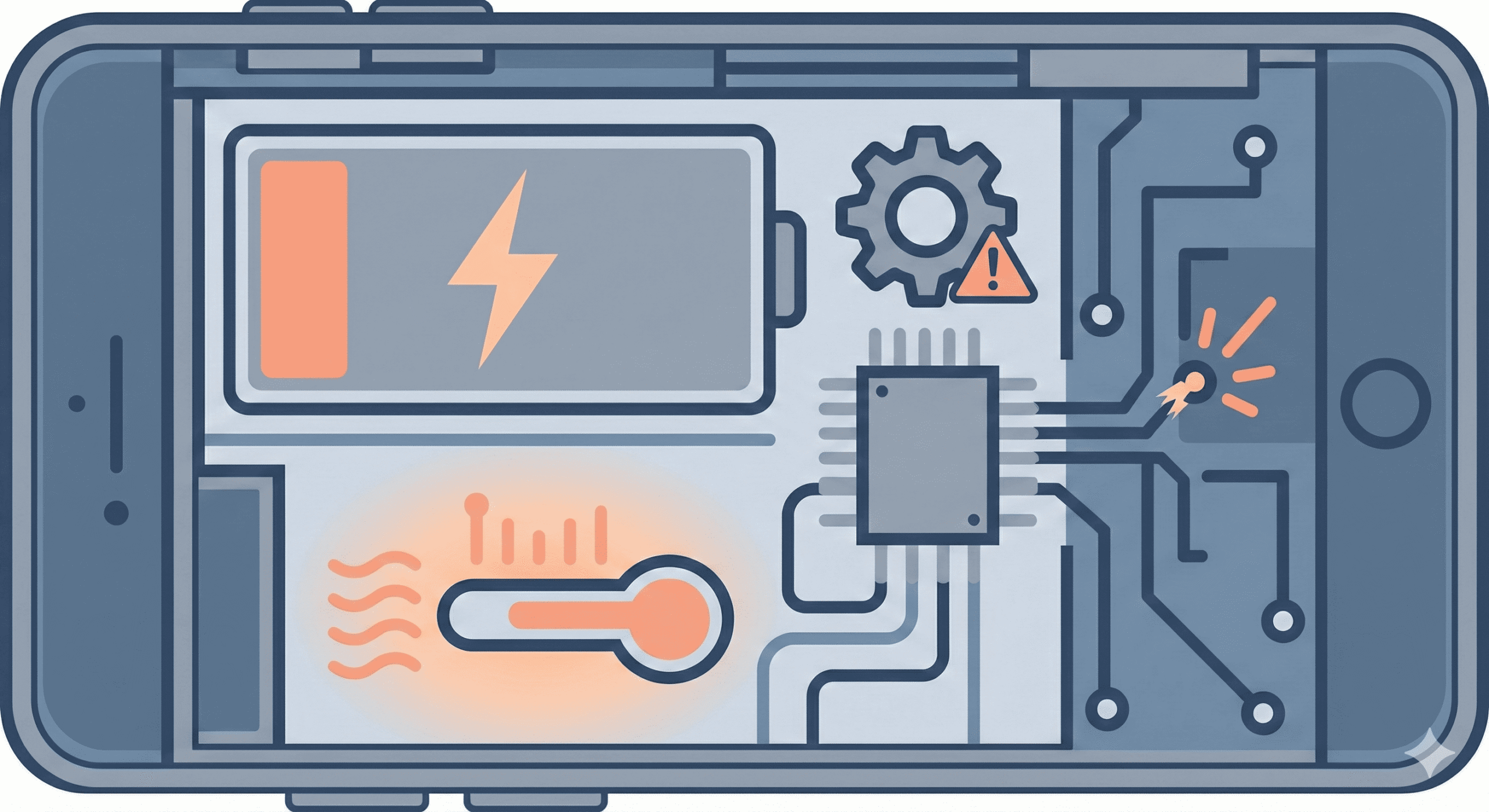
When a Motorola phone turns off randomly, it’s typically signaling one of a few underlying problems. The phone isn’t just being difficult—there’s always a reason, even if it’s not immediately obvious.
1- Battery-Related Causes
Degraded battery capacity: Lithium-ion batteries lose capacity over time. After 2-3 years of regular use, your battery may only hold 70-80% of its original charge. When capacity drops low enough, the phone can shut off even when the battery indicator shows 20% or 30% remaining.
Battery calibration issues: Sometimes the phone’s software loses track of actual battery levels. You might see 40% on screen, but the real charge is closer to 5%, causing an unexpected shutdown when the battery can’t actually sustain the phone.
Poor battery connection: On phones that have taken a fall or two, internal connections between the battery and motherboard can become loose. This causes intermittent power loss—the phone works fine until you move it a certain way.
2- Overheating Problems
Motorola phones have built-in thermal protection. If internal temperatures exceed safe thresholds, the phone will shut itself down to prevent damage to components. This isn’t a malfunction—it’s the phone protecting itself.
Common overheating triggers include:
- Running processor-heavy apps like games or video streaming for extended periods
- Charging while using demanding applications
- Leaving the phone in direct sunlight or hot environments (like a car dashboard)
- Using a case that traps heat
- Too many apps running in the background simultaneously
3- Software Glitches and Corrupted Data
Problematic apps: A rogue third-party app can cause system instability. This is especially common with apps downloaded from outside the Google Play Store, but even legitimate apps can conflict with specific Android versions or Motorola’s software layer.
Corrupted system cache: Android stores temporary data to speed up operations. When this cache becomes corrupted—often after a system update—it can cause all sorts of erratic behavior, including random shutdowns.
Failed or incomplete updates: If a system update was interrupted or didn’t install correctly, your phone might be running on partially updated software, leading to crashes and shutdowns.
4- Hardware Malfunctions
Faulty power button: A damaged or stuck power button can send incorrect signals, telling the phone to shut down when you never touched it. You might notice the button feels different—mushy, sticky, or overly sensitive.
Motherboard issues: Less common but more serious. Components on the main board can fail, causing power management problems. This typically requires professional diagnosis.
Water or liquid damage: Even if your phone seemed fine after getting wet, corrosion can develop over time and cause intermittent power issues weeks or months later.
How to Fix a Motorola Phone That Keeps Turning Off
Work through these solutions in order. Start with the simple fixes—they resolve the issue more often than you’d expect.
1. Check Your Charging Setup
Before assuming your phone has a major problem, rule out charging issues:
- Use the original Motorola charger and cable that came with your phone
- Plug directly into a wall outlet—not a power strip, car charger, or computer USB port
- Charge for at least 30-45 minutes before using the phone
- Try a different outlet in case the current one isn’t delivering consistent power
Third-party chargers, especially cheap ones, often can’t deliver the stable power Motorola phones need. I’ve seen phones that “randomly shut off” work perfectly fine once switched to proper charging accessories.
2. Force Restart Your Phone
A force restart clears temporary memory and can resolve software glitches causing shutdowns:
- Press and hold the Power button for 20-30 seconds
- Keep holding even if the screen flashes or the phone vibrates
- The phone should shut down completely and restart
On some Motorola models, you can also hold Power + Volume Down together for the same effect.
3. Boot into Safe Mode
Safe Mode runs your phone with only pre-installed system apps—no third-party apps load at all. If your phone stops shutting down randomly while in Safe Mode, you’ve confirmed a third-party app is the culprit.
How to enter Safe Mode:
- Press and hold the Power button until the power menu appears
- Touch and hold the “Power off” option on screen
- When “Reboot to safe mode” appears, tap OK
- Wait for your phone to restart—you’ll see “Safe Mode” in the bottom corner
Use your phone normally in Safe Mode. If it stays on without issues, start uninstalling recently installed apps one at a time, restarting between each removal to identify the problem app.
4. Clear the System Cache Partition
This removes temporary system files without touching your personal data—photos, apps, and settings stay intact.
- Turn off your phone completely
- Press and hold Volume Down + Power simultaneously
- When the boot menu appears, use Volume buttons to navigate to “Recovery mode”
- Press Power to select
- When you see the Android robot with “No Command,” hold Power and tap Volume Up once
- Navigate to “Wipe cache partition” and select it
- Confirm and wait for the process to complete
- Select “Reboot system now”
This is one of the most effective fixes for phones that started acting up after an Android update.
5. Check Battery Health and Optimize Settings
Motorola includes battery diagnostics you can access:
- Open the Device Help app (pre-installed on most Motorola phones)
- Go to Device diagnosis > Hardware tests > Battery
- Run the battery test to check health status
While you’re in Settings, also:
- Go to Settings > Battery > Battery usage to identify apps draining power abnormally
- Disable “Scheduled power on/off” if enabled (Settings > Utilities > Scheduled power on/off)
- Turn off Adaptive battery temporarily to see if it makes a difference
📦 Can’t Visit Us In Person?
No problem! Our mail-in repair service lets you ship your device to us from anywhere. We’ll diagnose, fix, and return it within 2-4 business days with free standard shipping. Need it faster? Next-day delivery is available.
6. Update Your Software
Motorola releases patches that fix bugs causing random shutdowns. Make sure you’re running the latest version:
- Go to Settings > System > System update
- Tap “Check for update”
- If an update is available, download and install it while connected to Wi-Fi and a charger
Also update your apps through the Google Play Store—outdated apps can cause system instability.
7. Use Motorola’s Software Fix Tool
Motorola provides a free desktop tool called Software Fix (previously “Rescue and Smart Assistant”) that can reinstall your phone’s firmware. This is essentially a deep software reset that fixes corrupted system files.
What you need:
- Windows 10 or 11 computer (64-bit)
- USB cable
- Your phone’s IMEI number
How to use it:
- Download Software Fix from Motorola’s official support site
- Install and open the tool
- Select your device type (Phones)
- Enter your IMEI when prompted
- Follow the on-screen instructions to put your phone in the correct mode
- The tool will download the correct firmware and reinstall it
Warning: This process erases all data on your phone. Back up important files first if possible.
8. Factory Reset (Last Software Resort)
If nothing else has worked, a factory reset eliminates all software-related causes. This erases everything—apps, photos, settings, accounts—so use it as a last step before seeking hardware repair.
Through Settings (if your phone stays on long enough):
- Go to Settings > System > Reset options
- Select “Erase all data (factory reset)”
- Follow the prompts to confirm
Through Recovery Mode (if your phone keeps shutting down):
- Power off completely
- Hold Volume Down + Power until the boot menu appears
- Navigate to “Recovery mode” and select it
- At the Android robot screen, hold Power and tap Volume Up
- Select “Wipe data/factory reset”
- Confirm and wait for completion
- Select “Reboot system now”
When Your Motorola Phone Won’t Turn Back On
Sometimes the phone shuts off and refuses to power back on at all. If you’re facing this scenario, you’re dealing with a different (but related) problem.
If your Motorola shows a blinking white light but won’t turn on, that typically indicates a boot loop or system failure—check out our dedicated guide for that specific issue.
For phones that won’t respond at all:
- Connect to a charger and wait 30+ minutes—completely dead batteries need time before the phone can boot
- Try a force restart by holding Power + Volume Down for up to 2 minutes
- If the phone gets hot but won’t turn on, let it cool down completely before trying again
- Check for a Motorola stuck on the startup screen—if you see the logo but can’t get past it, that’s a bootloader issue requiring different steps
When It’s Time for Professional Repair
If you’ve worked through all the software fixes and your Motorola still shuts down randomly, hardware failure is the likely cause. Signs pointing to hardware problems:
- Phone shuts off even in Safe Mode and after factory reset
- Battery drains extremely fast or shows erratic percentages
- Phone gets unusually hot during normal use
- Physical damage is visible (cracked screen, dented frame, water exposure)
- Power button feels stuck, loose, or unresponsive
Hardware issues like failing batteries, damaged charging ports, or motherboard problems need proper diagnostic tools and replacement parts to fix correctly.
Visit Our Repair Centers
📍 Holiday & Tarpon Springs
📍 Wesley Chapel
📍 Hudson
How Gizmo Pros Can Help
At Gizmo Pros, we diagnose and repair Motorola phones every week at our three Florida locations in Wesley Chapel, Holiday, and Hudson. We’ve worked on the full range—Moto G, Moto E, Edge series, Razr foldables—and we know the common failure points specific to each model.
When you bring your phone in, we’ll:
- Run full diagnostics to pinpoint whether it’s a battery, software, or board-level issue
- Attempt data recovery if your phone won’t stay on long enough to back up
- Use quality replacement parts for any hardware repairs
- Cover the repair with our 90-day warranty
We also price match—we’ll beat any local competitor’s published price by $10.
Can’t come in person? Our mail-in repair service lets you ship your device from anywhere. We’ll diagnose it, fix it, and return it within 2-4 business days with free standard shipping. Need it faster? Next-day delivery is available for an additional fee.
Preventing Future Random Shutdowns
Once your phone is working again, keep it that way:
- Keep software updated—install Android updates and app updates when available
- Don’t let the battery fully drain—try to charge before dropping below 20%
- Use quality chargers—the original Motorola charger or a reputable certified alternative
- Avoid extreme temperatures—don’t leave your phone in a hot car or freezing conditions
- Be selective with apps—stick to the Google Play Store and avoid suspicious downloads
- Restart weekly—a simple restart clears memory and prevents software buildup
- Monitor battery health—check the Device Help app periodically for early warning signs
Frequently Asked Questions
Why does my Motorola phone turn off at 30% battery?
This usually indicates battery calibration issues or a degraded battery that can’t actually deliver the charge it reports. The phone thinks it has 30% but actually has much less. Try recalibrating by letting the phone die completely, then charging to 100% uninterrupted. If it keeps happening, the battery likely needs replacement.
My phone shuts off when making calls. Why?
Phone calls require consistent power draw from the processor and cellular radio. If the battery is weak or there’s a loose internal connection, the phone can’t sustain this demand and shuts down. This pattern strongly suggests battery or hardware issues rather than software.
Why does my Motorola turn off when I unplug the charger?
The battery isn’t holding a charge. It works while plugged in because it’s running on wall power, but dies immediately when that external power is removed. This is a clear sign you need a battery replacement.
Is it dangerous if my phone keeps shutting off?
Random shutdowns themselves aren’t dangerous, but they can indicate problems that could worsen. A swelling battery, for example, starts with performance issues before becoming a safety concern. If your phone also gets abnormally hot, have it checked soon.
How long do Motorola batteries last?
Most Motorola phone batteries maintain good performance for 2-3 years with normal use. After that, capacity degrades noticeably. Heavy users or those who frequently drain to 0% may see decline sooner.
Will a factory reset fix random shutdowns?
If the cause is software-related—corrupted files, problematic apps, or glitched cache—yes. If it’s hardware-related, like a failing battery or damaged motherboard, a factory reset won’t help. That’s why we recommend trying other software fixes first and using factory reset as a last step.