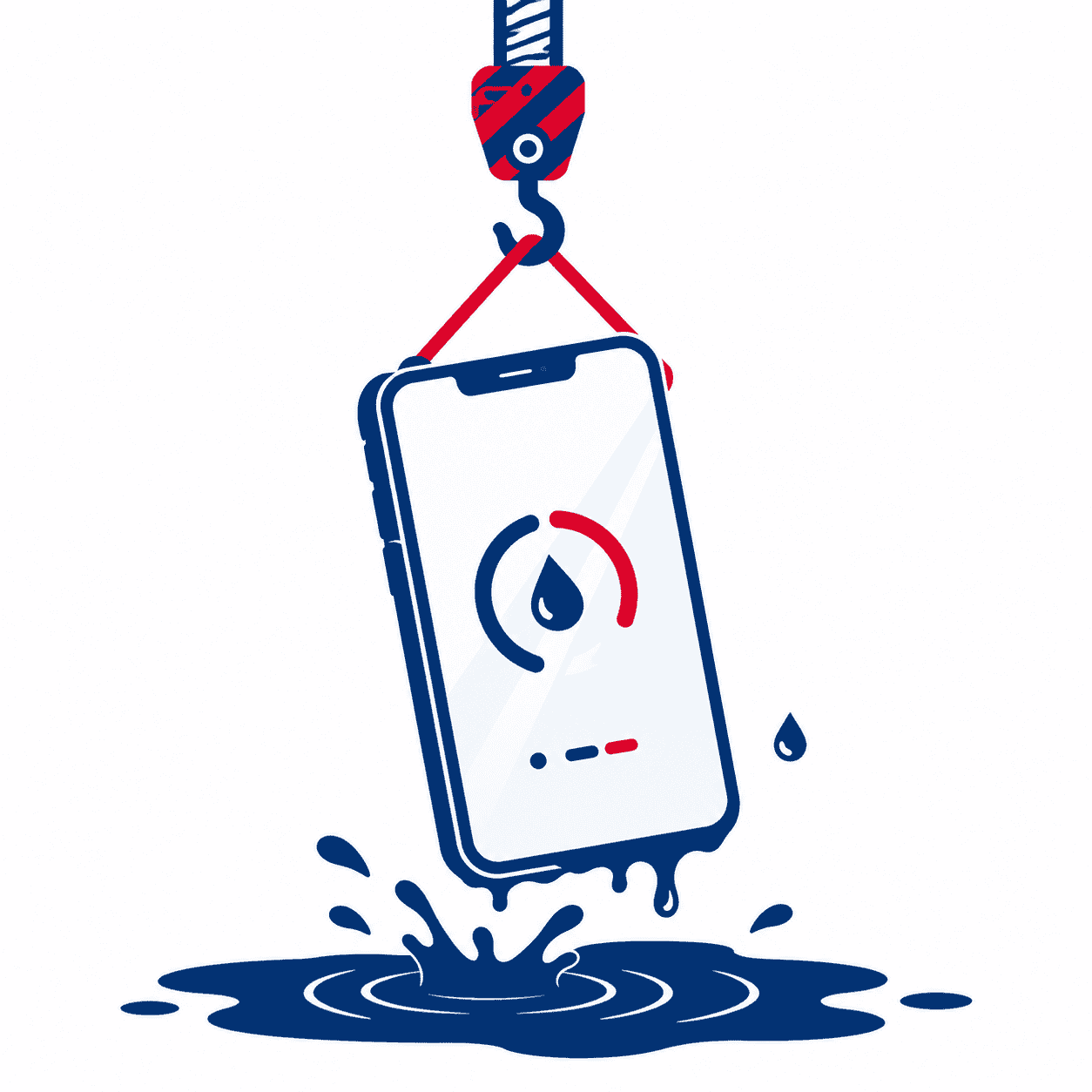
Two seconds. That’s how long your phone was in the water, and now you’re standing there wondering if you just killed a $900 device or if you’re overreacting. The good news is that in most cases, a two-second dip is nowhere near the disaster it feels like in the moment.
I can tell you the panic-Googling is usually worse than the actual water exposure. But how you react in the next few minutes still matters, because the wrong “fix” can turn a harmless splash into a real repair. Here’s exactly what to do, what to skip, and when a quick dunk is actually worth worrying about.
Is 2 Seconds in Water Actually Bad?
For the vast majority of phones sold in the last several years, a two-second splash is a non-event. Most modern phones carry an IP67 or IP68 rating, which means they’re built to survive brief submersion in shallow water. Two seconds under the tap, in a sink, or in a quick spill is well inside what those seals are designed to handle.
But there’s an important catch that trips people up. Water resistance is not the same as waterproof, and that rating is measured on a brand-new phone in a lab with clean, still water. Real life is messier. As a phone ages, the adhesive and rubber gaskets that keep water out slowly break down, especially if the phone has ever been dropped or had a screen or battery replaced. Salt water, soapy water, and hot water are also harder on the seals than plain tap water.
So the honest answer is: two seconds is usually fine, but “usually” isn’t “always.” A three-year-old phone with a cracked screen that fell in the pool deserves more caution than a six-month-old phone that got splashed at the sink.
What to Do Right Now (First 5 Minutes)
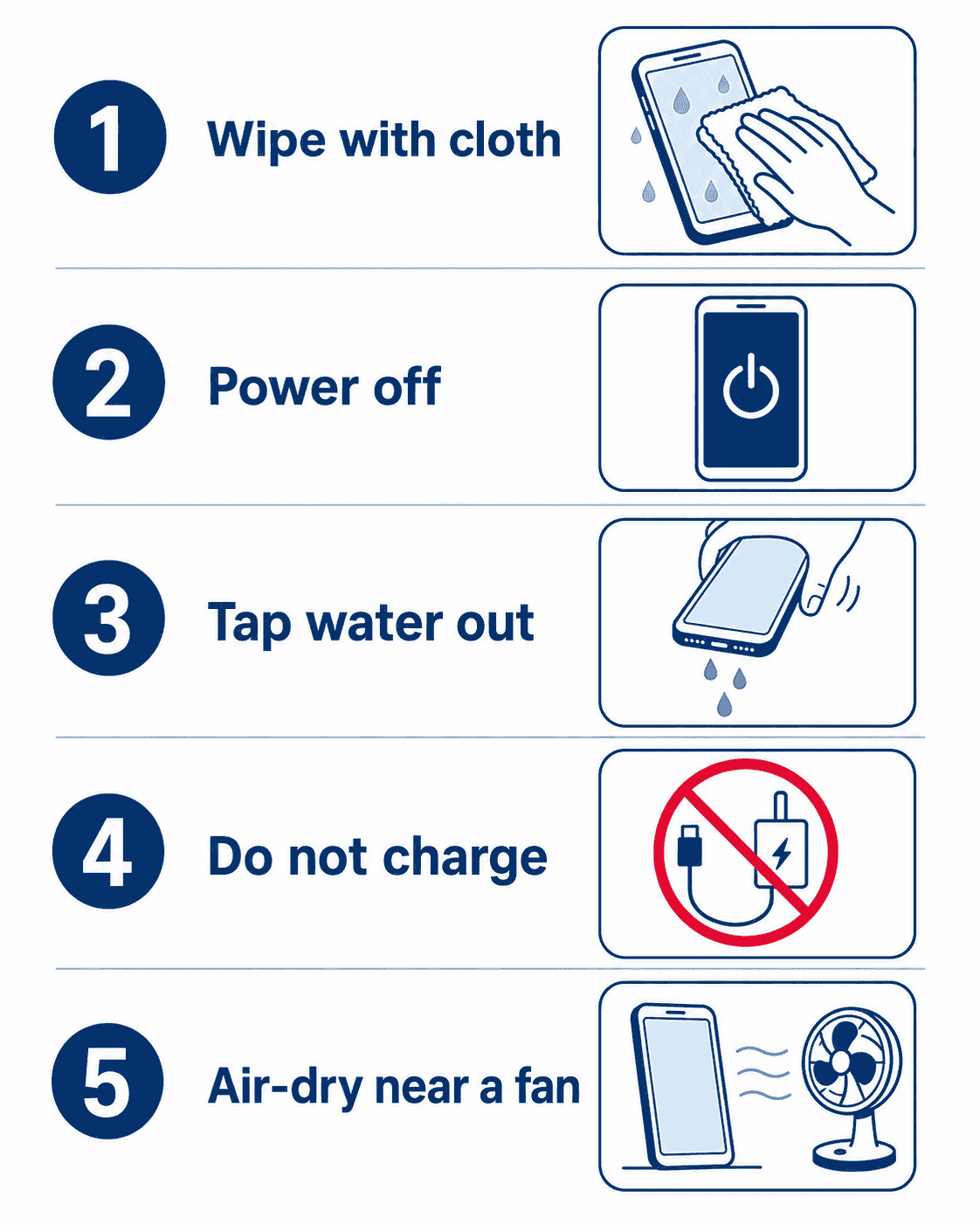
The steps below take a couple of minutes and cover you for the small chance that water actually got inside:
- Get it out and wipe it down. Dry the entire phone with a soft, lint-free or microfiber cloth. Pay extra attention to the charging port, speaker grille, and buttons where water likes to hide.
- Power it off if it took more than a splash. For a true dunk, shutting it down reduces the chance of a short circuit while any moisture is inside. For a light splash on a water-resistant phone, this usually isn’t necessary.
- Tap out any trapped water. Hold the phone with the charging port and speaker facing down and tap it gently against your palm to shake loose droplets out.
- Do not charge it yet. Plugging in a damp phone is one of the fastest ways to corrode the charging port. Give it a few hours to dry first.
- Leave it in a dry, airy spot. Stand it upright near moving air (a fan is great, a heater is not) and let it sit. If you have silica gel packets, seal the phone with a few of them in a bag.
For a light two-second splash, that’s genuinely all most people need to do. If more water got in and the speaker sounds muffled afterward, our guide on how to get water out of a phone speaker without sound walks through the safest drying methods step by step.
What NOT to Do
Over the years, I’ve seen more phones ruined by the reaction than by the water. If you take nothing else from this article, take this list:
| Don’t Do This | Why It Backfires |
|---|---|
| Put it in rice ❌ | Rice barely pulls moisture from inside the phone, and its dust and starch lodge in the ports and speaker grille. It creates a new problem while solving nothing. |
| Use a hair dryer or heat ❌ | Heat warps internal adhesive, stresses the battery, and can push moisture deeper into the phone instead of out. |
| Charge it while damp ❌ | The single most common cause of corrosion and short circuits after water exposure. Wait until it’s fully dry. |
| Shake it hard or blow into it ❌ | Violent shaking and compressed air can drive water further inside toward sensitive components. Gentle taps are enough. |
| Keep pressing buttons to “test” it ❌ | Repeatedly powering it on and off while wet raises short-circuit risk. Dry it first, then test once. |
Tip from the bench
The rice myth refuses to die, and I still see the aftermath on my workbench. The starch swells in the humidity and packs into the charging port, so the phone survives the water but then won’t charge. If you want a real drying agent, use silica gel packets, the little sachets from shoeboxes and vitamin bottles.
Signs the Water Did More Than a Quick Dip
Here’s the part most “put it in rice” articles skip: water damage can show up hours or even days later. Moisture that gets past the seals starts corroding tiny internal connectors, and that process keeps going long after the outside feels dry. So for a day or two after the dip, keep an eye out for these:
- Muffled, distorted, or missing sound from the speaker or earpiece
- Static or crackling during calls or media playback
- Charging problems, or a “moisture detected” warning that won’t clear
- A flickering, discolored, or spotty screen
- The phone running unusually warm or draining battery fast
- Fog or moisture visible under the camera lens or screen
If the speaker starts producing a static or crackling sound rather than just going quiet, that’s a specific symptom worth understanding, and we cover it in our guide on why your phone is making a static noise and how to fix it. If the charging port is the part acting up afterward, our iPhone charging port repair cost breakdown lays out what that kind of fix usually runs.
Worried the Water Got In? Get It Checked Free.
Free diagnostics, professional water-damage cleaning, and part replacement if needed, all backed by a 90-day warranty and below-average pricing. Visit us in Wesley Chapel, Holiday, or Hudson, or mail your phone in from anywhere in the USA.
When to Skip the DIY and See a Technician
Most two-second dips never make it this far. But if any of the warning signs above show up and don’t clear on their own within a day, it’s worth getting the phone opened and inspected before corrosion has time to spread. The catch with water damage is that it’s cheap to deal with early and expensive to deal with late. Once corrosion reaches the logic board, a simple cleaning turns into a much bigger job.
When a water-affected phone comes to our bench, we don’t just “dry it out.” We open it carefully, check the water-damage indicators, clean any corrosion off the connectors before it spreads, and only replace a part if it’s actually damaged. You get a straight answer on what’s really going on before you pay a cent. Most of these repairs are done while you wait, and everything leaves with our 90-day limited warranty against defects. We also match any local competitor’s published price on the same repair and beat it by $10.
If water reached more than just the surface, our full iPhone water damage repair cost guide breaks down what the different levels of damage typically cost, so there are no surprises.
Not near one of our shops? Our mail-in repair service lets you ship your device from anywhere in the country. We diagnose it, fix it, and send it back within 2–4 business days with free standard return shipping. Next-day return is available for a small added fee if you’re in a hurry.
Visit a Gizmo Pros Location in Florida
Bring your phone to any of our three Florida shops for a free diagnostic, no appointment needed. Most water and speaker repairs are done same-day, often while you wait.
📍 Wesley Chapel
📍 Holiday
📍 Hudson
Frequently Asked Questions
My phone was only in water for 2 seconds. Is it ruined?
Almost certainly not. Two seconds is a very short exposure, and most modern phones are rated to survive brief submersion. Dry it off, keep it powered down for a bit if it took a real dunk, and hold off on charging until it’s dry. Serious damage from a two-second dip is rare, especially on a newer, undamaged phone.
Do I need to put my phone in rice after dropping it in water?
No. Rice is a myth that does more harm than good, its dust and starch can clog your charging port and speaker grille without effectively pulling moisture from inside the phone. If you want a real drying agent, use silica gel packets in a sealed bag instead.
How long should I wait before charging my phone after it got wet?
Give it at least a few hours, and ideally overnight if it took more than a light splash. Charging a damp phone is one of the most common causes of corrosion and short circuits on the charging port. If the port still misbehaves once it’s dry, have it inspected.
Can a two-second dip cause damage later?
It’s uncommon, but possible. Any moisture that slips past the seals can slowly corrode internal parts over the following days. That’s why it’s worth watching for muffled sound, static, or charging issues for a day or two, and getting it looked at if any of those show up and don’t clear.
Can I mail my phone in if I’m not near a Gizmo Pros location?
Yes. Our mail-in repair service accepts phones from anywhere in the USA. Ship it in, we diagnose and fix it, and send it back within 2–4 business days via free standard return shipping. Next-day return delivery is available for a small added fee.
Do you offer a warranty on water-damage repairs?
Every repair at Gizmo Pros comes with a 90-day limited warranty against defects, valid across all three of our Florida locations, Wesley Chapel, Holiday, and Hudson. If the same issue returns within that window, we’ll make it right.
Still Not Sure Your Phone Survived? Let Us Check.
Free diagnostic. Below-average pricing. 90-day warranty. Repairs done while you wait in Wesley Chapel, Holiday, and Hudson, or ship it in from anywhere in the USA.